

What’s included
- Indoor and outdoor optical fibre cable, including armoured cable for underground runs
- Single-mode and multimode fibre, chosen for the distance and speed you need
- Fusion splicing and termination on pigtails
- Fibre patch panels and light interface units (LIUs) in your racks
- Underground conduit and GI pipe for runs between buildings
- Fibre patch cords and SFP modules matched to your switches
- Labels and splice records for every core
- Testing of every terminated core
How we deliver
- Survey We trace the route between floors or buildings and check existing ducts.
- Design We choose single-mode or multimode, the core count and the termination points.
- Pathway Conduit, GI pipe or tray goes in. Underground runs use armoured cable.
- Pull Cable is pulled with care for bend radius and pulling tension.
- Splice Cores are fusion-spliced to pigtails in patch panels and labelled.
- Test and hand over Every core is tested. You get splice records and a route drawing.
Single-mode or multimode?
Multimode fibre (OM3 or OM4) is the usual choice inside a building, for links of up to a few hundred metres between racks and floors. Single-mode fibre suits longer runs between buildings on a campus, and leaves room for higher speeds later.
Either way, we leave spare cores in every cable. Fibre is cheap compared with the work of pulling a second cable later.
Why fibre between buildings
Copper data cable is limited to 100 metres and picks up electrical noise, including surges from lightning. Fibre carries no electricity, so it also protects your switches when two buildings sit on different earths.
That matters in Kerala, where lightning damages network equipment every monsoon.
Records you can use later
Every core is labelled at both ends and listed in a splice sheet that shows which core goes where. When you add a building or a switch later, your team knows which spare cores are free.
What affects the price
Every quote is built from your site. These are the things that change the number.
- The route length, and whether it runs underground
- Fibre type and the number of cores
- How many points the fibre terminates at
- Civil work such as trenching and road crossings
Brands we use
- D-Link
- Molex
Related projects
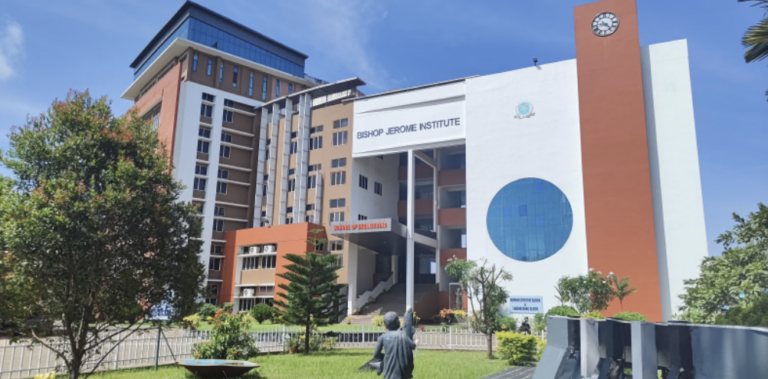
Bishop Jerome Institute, Kollam
2.5 lakh sq ft, three academic blocks
A new campus network across the Engineering, Management and Architecture blocks, about 2.5 lakh sq ft, built after a full audit of the old one.
- Kollam
- Education
Where we work
We deliver fibre optic cabling across Kollam (Quilon), Thiruvananthapuram (Trivandrum), Alappuzha (Alleppey) and Pathanamthitta, from our base in Kollam.
Questions we often get
How far can a fibre link run?
Multimode fibre inside a building covers a few hundred metres at 10 Gb/s. Single-mode fibre runs for kilometres. We pick the type to match your distance and your switches.
Do we need fibre, or is copper enough?
Within one floor, copper is usually enough. Between floors, between racks more than 90 metres apart, or between buildings, fibre is the better choice.
Can you lay fibre underground between our buildings?
Yes. We use armoured cable in conduit or GI pipe. We coordinate trenching and road crossings with your civil team, or quote for them separately.
Do you supply the SFP modules too?
Yes. We match SFP modules to your switches and the fibre type, so links come up first time.
Related services
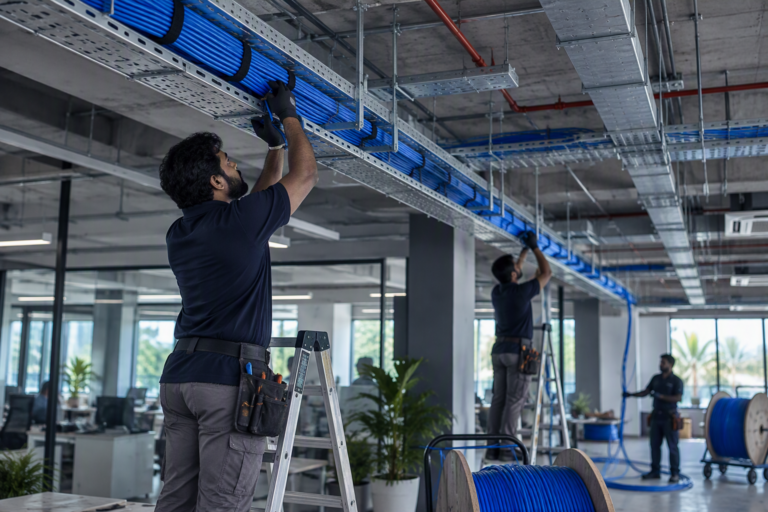
Structured cabling
CAT6 and CAT6A data cabling, I/O points, patch panels and racks. Every cable labelled at both ends and tested before handover.
- CAT6
- CAT6A
- I/O
- Racks

Network design and configuration
LAN design, managed switches, VLANs, PoE, routers and SD-WAN. Networks set up properly, documented and handed over.
- LAN
- VLAN
- PoE
- SD-WAN

Wi-Fi installation
Business Wi-Fi planned for coverage, not guesswork. Access points, controllers, guest access and roaming for offices, campuses and hotels.
- AP
- Controller
- WPA3
- Guest